Clearing out my Laptop as a Developer - I
There I was, reading a static pdf in a zoom meeting when the presenter said she was going to hit the next button. My first thought was, since when did chrome add a button to a pdf? My second was… not again
Minutes later, I was kicked out of the zoom meeting and had to watch my laptop slowly register my mouse input a minute at a time as I desperately tried getting the link to get back into the room. In its defense, clicking on the firefox shortcut ten times in a row wasn’t the smartest thing I did that day. Like no one has ever said, there comes a time in every developers life where the sins of having 30 “hobby” projects managed by node comes back to bite them
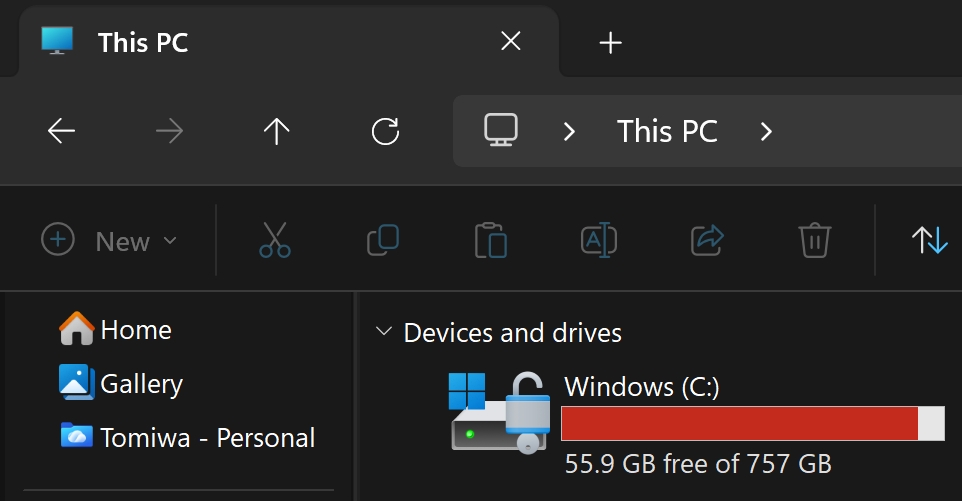
So here we are. I’m fighting back for some memory on my laptop, and
node_modules is the first to go.
node_modules
For anyone unfamiliar with node_modules, its a dump of dependencies/packages/projects
your project needs. Sadly, some projects in the dump requires their own
dependencies, and that leads to really innocent projects containing 100+ other -
probably - good intentioned projects
I’m not even joking

Luckily for me, I store all my projects in one folder, as the gentleman I am so
I will be writing a script to recursively go through my folders from the main
folder and nuke any node_modules folder that lies in its path. That’s right,
it’s scorched earth, shock and awe.
For anyone worried about not being able to get back their dependencies, here’s
what’s cool about npm. npm creates two files that handles the mapping for your
dependencies, the first is package.json. This file usually stores a bunch of
other important things, from scripts to workspaces so we’re not touching that,
and the second is package-lock.json. This is more important for us. It stores
an exact record of every dependency, that includes the dependencies of the dependencies.
That means, we could get everything back exactly how it was using this neat
command npm ci, as long as package-lock.json is spared from the purge. And if that isn’t enough, we could fall back to npm install.
Back to the cool stuff, here’s the code!
function Remove-NodeModules {
  param(
    [Parameter(Position = 0)]
    [string]$Path = ".",

    [Alias("d")]
    [switch]$Delete,

    [string[]]$Skip = @()
  )

  try {
    $resolvedPath = Resolve-Path -Path $Path -ErrorAction Stop
  }
  catch {
    Write-Error "Path not found: $Path"
    return
  }

  Write-Host "Searching from: $resolvedPath"
  Write-Host ""

  $defaultSkipFolders = @(
    ".git",
    ".venv",
    "venv",
    "env",
    "__pycache__",
    ".next",
    "dist",
    "build",
    ".turbo",
    ".cache",
    ".pytest_cache",
    ".gradle"
    ".mypy_cache",
    ".ruff_cache",
    "coverage",
    ".nyc_output"
  )

  $skipFolders = @($defaultSkipFolders + $Skip) | Select-Object -Unique

  $stack = New-Object System.Collections.Stack
  $stack.Push($resolvedPath.Path)

  $found = @()

  while ($stack.Count -gt 0) {
    $current = $stack.Pop()

    try {
      $dirs = Get-ChildItem -Path $current -Directory -Force -ErrorAction SilentlyContinue
    }
    catch {
      continue
    }

    foreach ($dir in $dirs) {
      if ($dir.Name -eq "node_modules") {
        $found += $dir.FullName

        if ($Delete) {
          Write-Host "Deleting: $($dir.FullName)"
          Remove-Item -Path $dir.FullName -Recurse -Force -ErrorAction Continue
        } else {
          Write-Host "Would delete: $($dir.FullName)"
        }

        continue
      }

      if ($dir.Name -in $skipFolders) {
        continue
      }

      $stack.Push($dir.FullName)
    }
  }

  if ($found.Count -eq 0) {
    Write-Host "No node_modules folders found."
    return
  }

  if (-not $Delete) {
    Write-Host ""
    Write-Host "Found $($found.Count) node_modules folder(s)."
    Write-Host "Dry run complete. To actually delete them, run:"
    Write-Host "rmnm `"$Path`" -d"
  } else {
    Write-Host ""
    Write-Host "Deleted $($found.Count) node_modules folder(s)."
  }
}

Set-Alias rmnm Remove-NodeModules
This code is made for powershell’s $PROFILE. Try notepad $PROFILE on your
powershell. If you see a notepad pop up, you can paste the code at the end of
the file and save it, if it
doesn’t you can type New-Item -ItemType File -Path $PROFILE -Force to create a
profile file and then follow the first two steps.
To run the code here are the steps to follow
- Run
. $PROFILEto initialize the code - Run
rmnm "main-folder-path"to see the files that will be deleted. Make sure to go through the folders before the last step - Add
-s "skip-folder1","skip-folder2","skip-folder2"to skip any folder you don’t want added - Finally, add
-dat the end of the command when you are sure those are thenode_modulesyou would like to delete
Your command should look something like this
rmnm "main-folder-path" -s ".venv","horse-tinder" -d
Note: The review process is very important. As JavaScript grows to be more
awesome by the day, the likelyhood of having a node_modules folder in an
important service/app becomes more likely. Make sure you are fully confident in
identifying the absence of node_modules as the reason for the change in
behavior in the project before deleting the folder
The end of your review should look something like this

And with that ladies and gentlemen we are out of the red
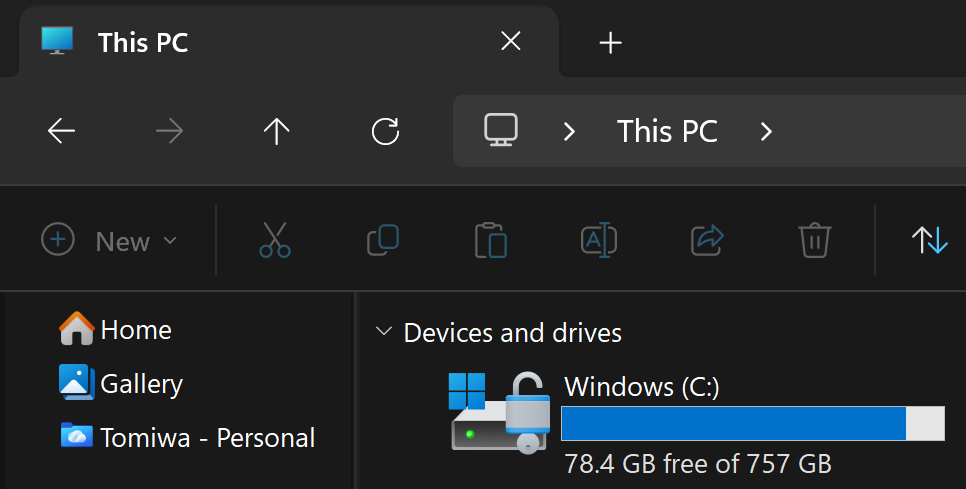
I’ll be honest, that was a lot less than I thought it would be. But IT WAS WORTH
IT. BURN node_modules BURNNN

Authors Note
I did some mining off screen and extended the script to support more reconstructible dependency folders like user-created virtual environments in python projects and gradle in android
The extended code is right here and below is verbatim what I ran
rmdep "./projects" -t ".venv","venv","env",".gradle"
And after reviewing
rmdep "./projects" -t ".venv","venv","env",".gradle" -d
Here’s the damage
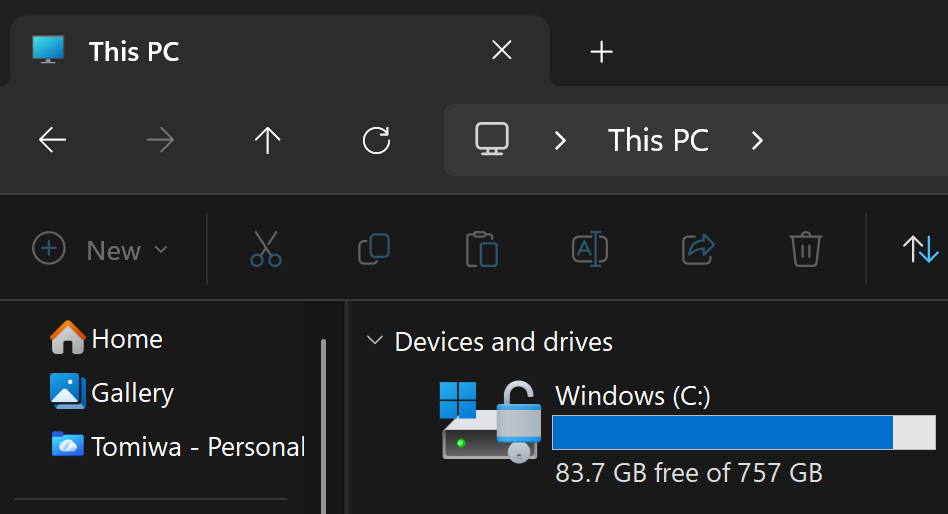
We’ll take it Total memory unallocated: 27.8 GB